A logo and branding package costs anywhere from about $1,000 to more than $100,000, based on Shopify’s 2026 guide. That is a huge gap!
In short, a logo and branding package is a set of files and rules that makes your business look the same everywhere. You get a logo, colors, fonts, and a guide that shows you how to use them. The price depends on how many pieces you get and who builds them.
I’ve watched business owners buy a $50 logo and spend months cleaning up the mess. I’ve also watched owners pay for pieces they never used.
Here’s one I see a lot. A designer sends PNG files that should have clear backgrounds. But the cutouts are sloppy. You spot rough edges, blemishes, and little flaws around the logo. Often the designer took a shortcut. Each file looks okay alone. Then you put them on a flyer, a website, and a banner. The flaws show up everywhere.
I’ve had owners come to me to fix work that was done wrong the first time. They paid twice for one job.
This guide fixes both problems. I’ll show you what belongs in the package, what it should cost, and how to spot a bad deal before you pay
A logo and branding package is a bundle of design files that gives your business one consistent look. It includes a main logo, logo variations, a color palette, fonts, and brand guidelines. Add-ons like social templates and business cards come on top. Prices run from about $1,000 for a basic package from a freelancer to $50,000 or more from an agency.
What Is a Logo and Branding Package?
A logo and branding package is a bundle of design pieces that works as one system. The logo is the anchor. The colors, fonts, and rules around it keep everything matching.
Picture a sports team. The logo sits on the jersey. But the team colors, the number font, and the rules for how they all fit together make the team easy to spot from across the stadium. That’s the idea.
Some designers call this a brand identity package. Others say brand kit. The words overlap. A brand kit is usually the smaller version, with your files, colors, and fonts in one folder. I break down the bigger idea in my post on the brand identity system.
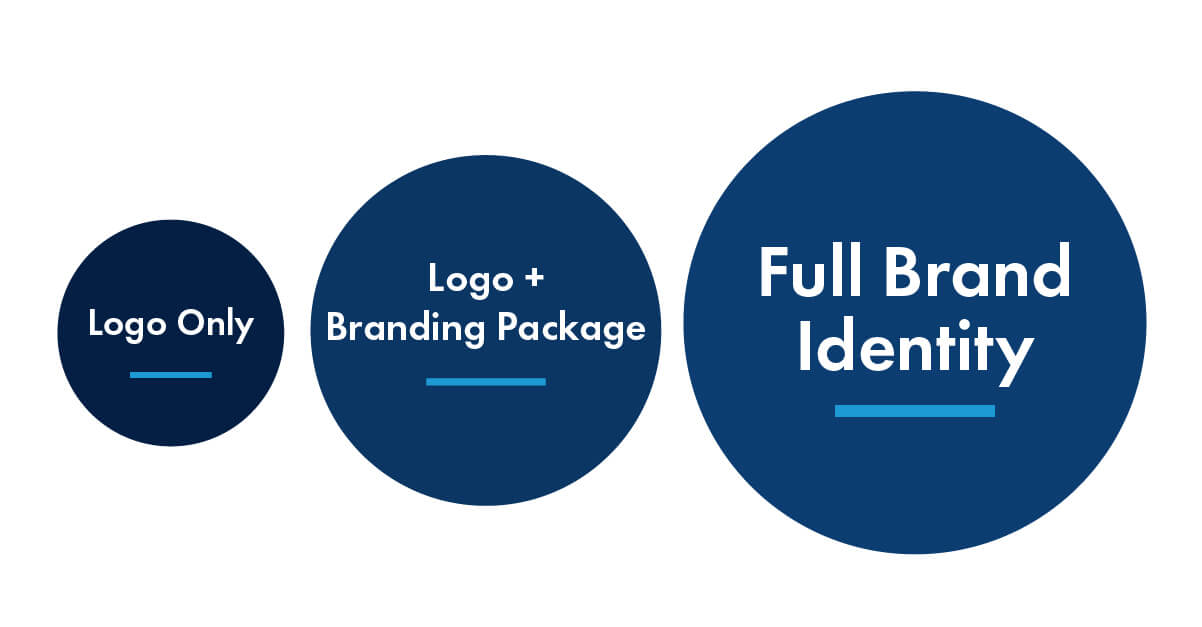
Here’s how the three options compare.
| Option | What you get | Best for | Main limit |
|---|---|---|---|
| Logo only | One logo, usually a few file types | A side project or a quick test | No rules, so every piece you make later looks a little different |
| Logo and branding package | Logo, variations, colors, fonts, guidelines, files | Most small businesses and startups | Needs add-ons if you sell physical products |
| Full brand identity system | Everything above plus strategy, graphic elements, templates, and more | Growing companies and rebrands | Costs more and takes longer |
What Is Included in a Logo and Branding Package?
A solid logo and branding package has six core pieces: a main logo, logo variations, a color palette, a font system, brand guidelines, and a final file set. Extras like stationery and social templates are add-ons.
I like to split the list into “must have” and “nice to have.” Designers at other studios do the same. If a package skips a core piece, you’re not getting a real system.
| # | Item | What it is | Core or add-on |
|---|---|---|---|
| 1 | Primary logo | Your main logo, in full color | Core |
| 2 | Logo variations | Horizontal, stacked, and icon-only versions | Core |
| 3 | Color palette | Your brand colors with exact codes | Core |
| 4 | Font system | The typefaces you use and where | Core |
| 5 | Brand guidelines | A short guide with the rules | Core |
| 6 | Final file set | Every file type you need, organized | Core |
| 7 | Graphic elements | Patterns, textures, icons, shapes | Add-on |
| 8 | Social media kit | Profile images, cover images, post templates | Add-on |
| 9 | Business card and stationery | Cards, letterhead, envelopes | Add-on |
| 10 | Email signature and templates | Matching digital pieces | Add-on |
| 11 | Messaging basics | Tagline, voice notes, mission line | Add-on |
Logo Variations in a Logo and Branding Package
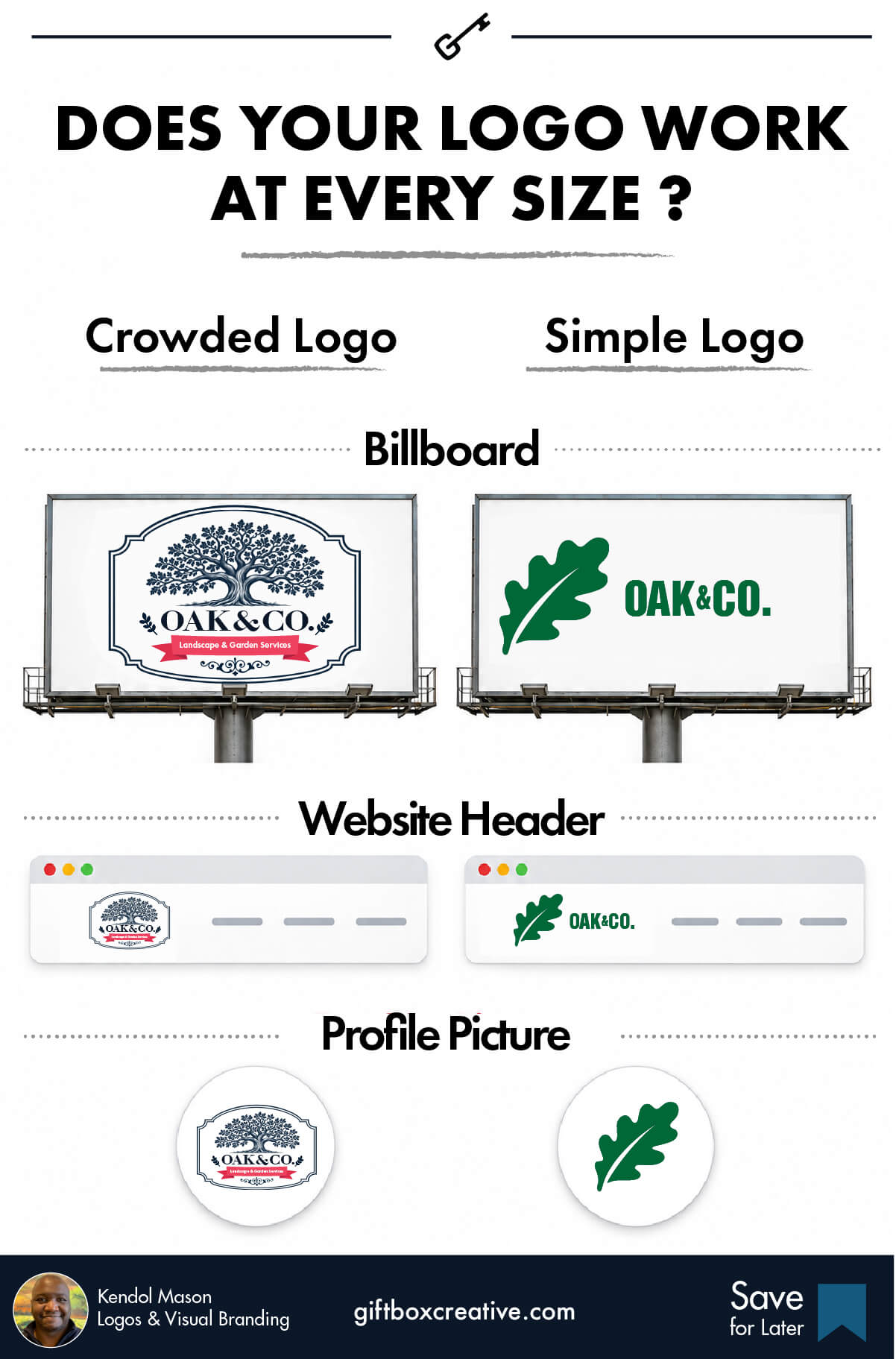
You need more than one version of your logo. A wide logo looks great on a website header. It looks terrible as a tiny social media profile picture.
A good package gives you a horizontal version, a stacked version, and a small icon or monogram. Each one has a job. Shopify’s guide calls this an adaptive logo system, and I agree with that.
Here’s the problem I see though. The logo looks fine when it’s big. Then you shrink it, and it falls apart. Why? It has too many parts. A symbol, the company name, a tagline, and extra text all squeezed together. The more you cram in, the harder it is to print small.
Shrink the logo before you approve it. Look at it as a tiny social media profile picture. If you can’t read it there, ask for a simpler version.
Color Palette Codes in a Logo and Branding Package
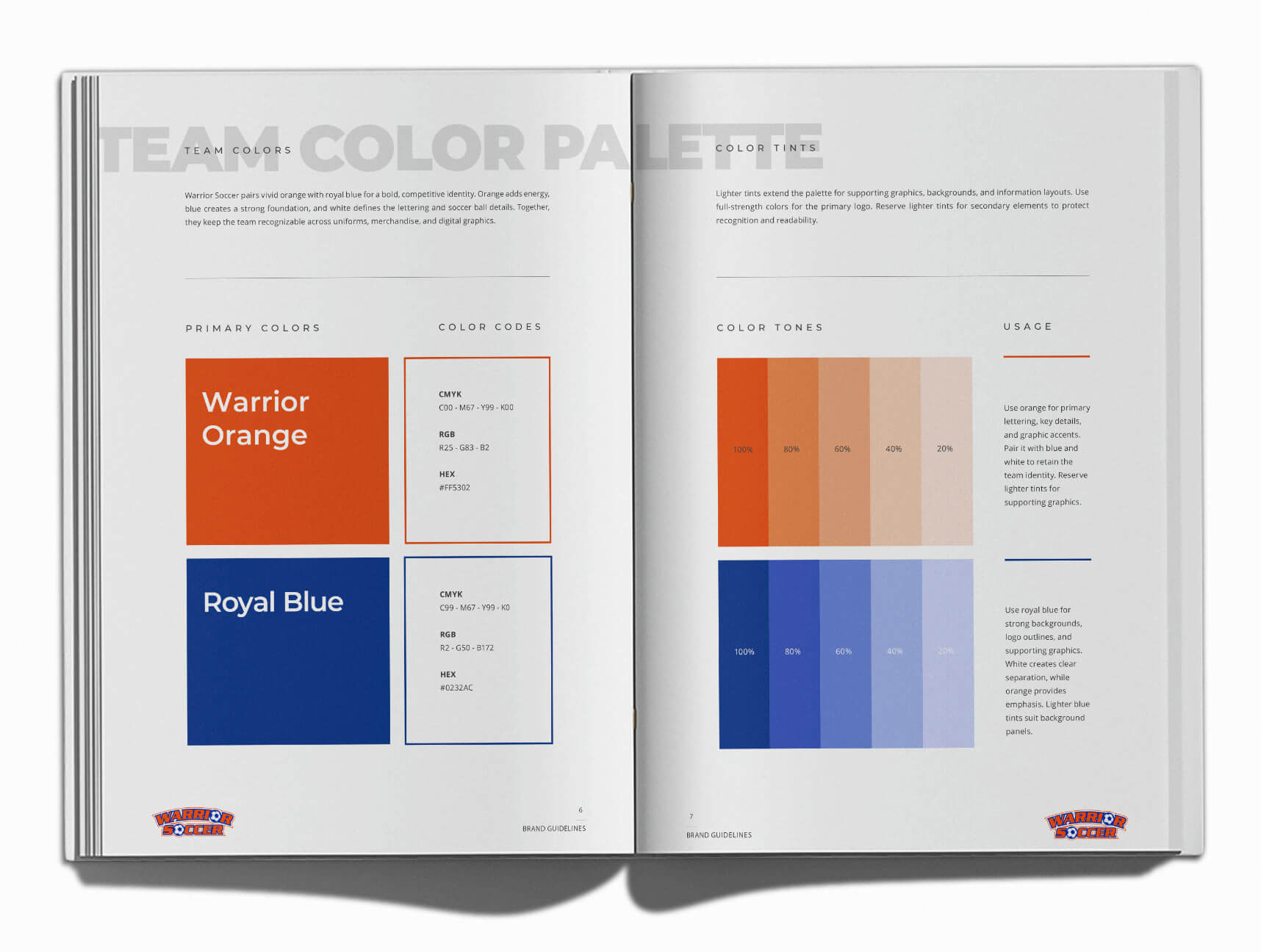
Your color palette should come with exact codes, not names like “light green.” You want HEX and RGB codes for screens, and CMYK or Pantone codes for print.
Why does it matter? Two designers can read “navy” two different ways. Codes remove the guessing. Dribbble’s branding package guide makes the same point about using specific codes so every designer matches your shades.
Font System in a Logo and Branding Package
A font system tells you which typefaces to use for headlines, body text, and small print. The fonts in your logo are often different from the fonts you use in an email.
Good packages pick two or three fonts and give each one a job. Then you never have to wonder what to type your next flyer in.
Brand Guidelines in a Logo and Branding Package
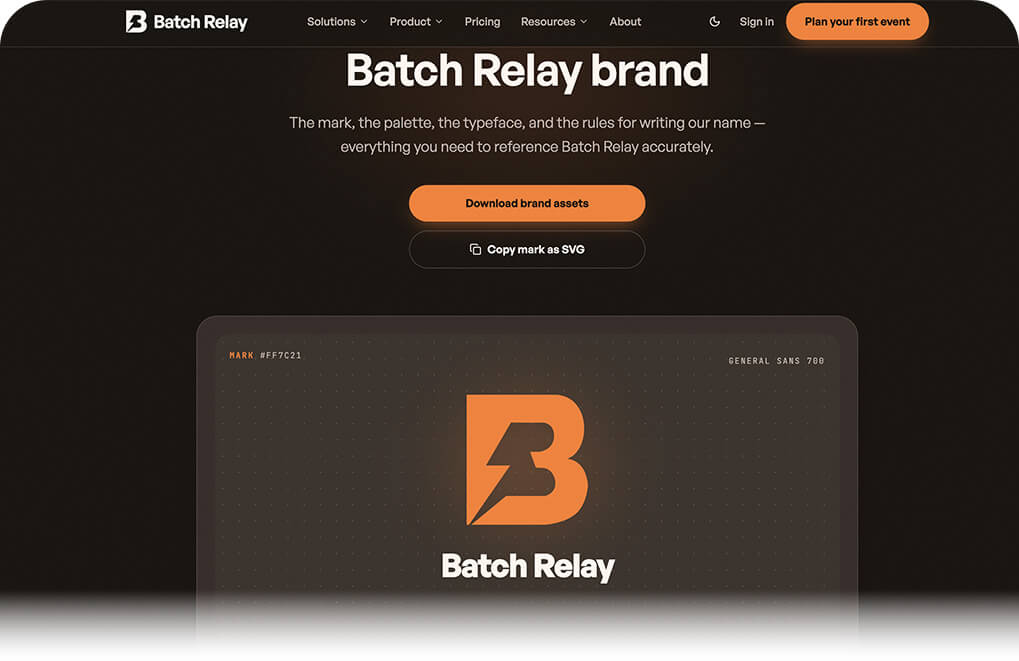
Brand guidelines are the rulebook for your logo and branding package. They show how much space to leave around the logo, which colors can sit behind it, and what never to do.
For a small business, five to ten pages is plenty. You don’t need a 100-page binder. You need something your next freelancer or team member can read in ten minutes.
Ask for a digital version of the guidelines. A PDF works fine. An online page with a link is even better. You can copy a HEX color code straight off the page. No more typing it by hand. You can also click through to image sources, design files, and other tools you need.
Say you need to change a name on a business card. With the right files and links in one place, that job takes minutes. I like to use tech to remove as much friction as I can. The easier the guide is to use, the more likely your team, your designers, and your printers will use the brand the right way.
What Most Packages Skip
Most packages stop at the logo files and a thin style sheet. They skip the part that saves you money later: usage examples. Ask for at least two or three real mockups, like a business card, a social post, and a website header. Seeing the system in use proves it works. Make sure those mockups fit your business. I explain how to spot that in the portfolio section below.
How Much Does a Logo and Branding Package Cost?
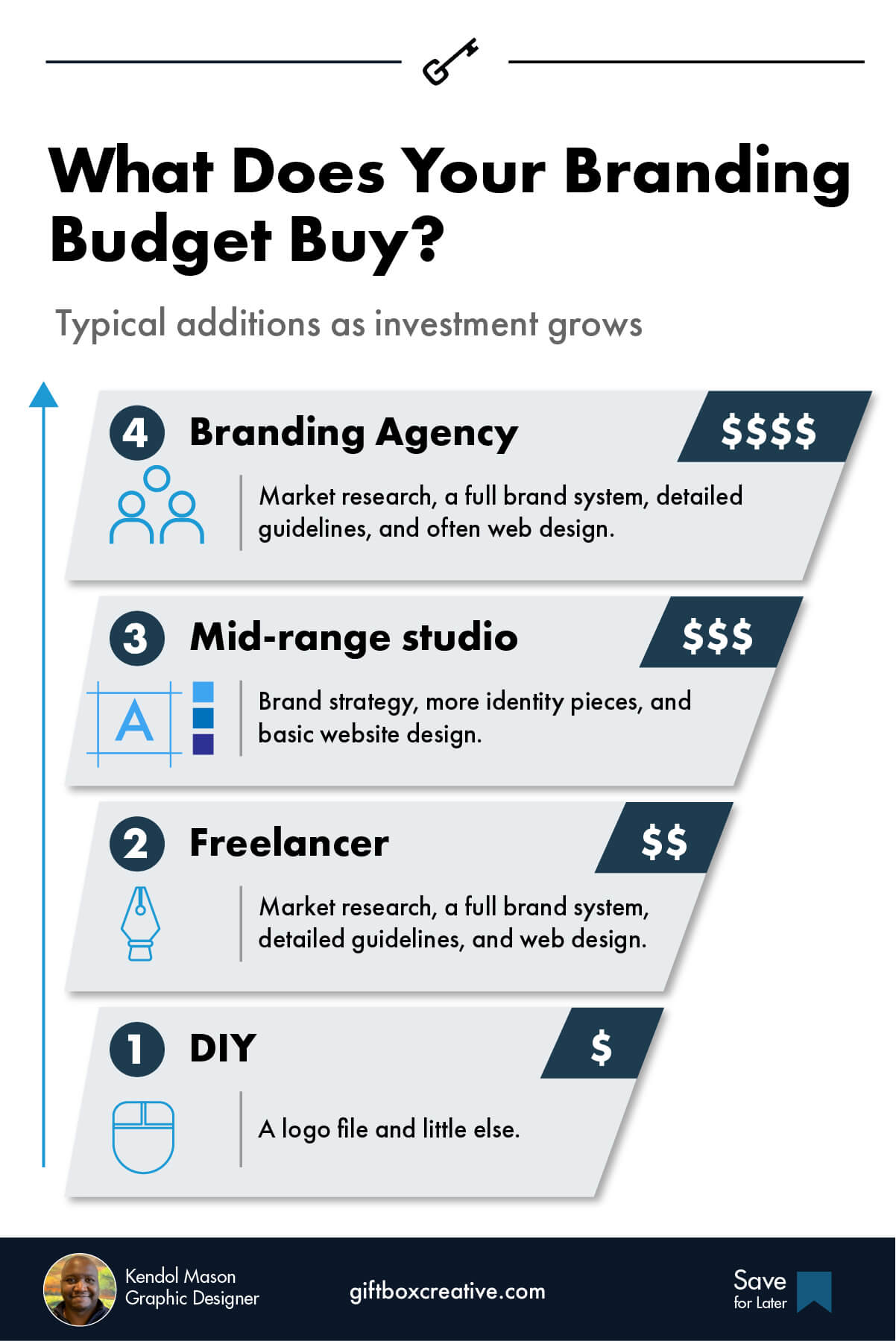
A logo and branding package typically costs $1,000 to $5,000 from a freelancer or small studio, $5,000 to $50,000 from a mid-range studio, and $50,000 or more from an agency. Those tiers come from Shopify’s 2026 branding package guide.
| Level | Typical price | Who builds it | What you usually get |
|---|---|---|---|
| DIY and logo makers | Free to low cost | You | A logo file and little else |
| Freelancer or small studio | $1,000 to $5,000 | One designer or a small team | Logo, color palette, fonts, simple guidelines |
| Mid-range studio | $5,000 to $50,000 | Studio with a strategist | Brand strategy, more identity pieces, basic website design |
| Agency | $50,000 and up | Full agency team | Market research, full system, deep guidelines, often web design |
Dribbble’s guide gives a wider agency range of $5,000 to $100,000. It also says freelancers often charge $15 to $300 per hour. That’s a big spread, and it tells you something. Price alone says nothing about quality.
What Changes the Price of a Logo and Branding Package
The price moves with scope, experience, and strategy work. Here’s what pushes it up or down:
- ✅ Number of pieces. More logo variations, templates, and add-ons mean more hours.
- ✅ Designer experience. A veteran charges more than a beginner. They also make fewer wrong turns.
- ✅ Research and strategy. Digging into your market and audience takes time.
- ✅ Revision rounds. Extra rounds of feedback add cost.
- ✅ Your industry. Crowded or regulated fields need deeper research.
- ✅ Extras. Website design, packaging, and print setup usually cost extra.
Here’s my honest take. The cheapest package often costs the most. You pay once for the logo, then again for the files you were missing, then a third time to fix a look that never matched.
Some cheap packages skip the finishing work. You can catch that early. I list the warning signs in the red flags section below.
Which Logo and Branding Package Level Do You Need?
Most small businesses do well with a Starter or Standard logo and branding package. Choose Complete only if you sell physical products, plan a big launch, or have a team that needs strict rules.
| Starter | Standard | Complete | |
|---|---|---|---|
| Includes | Logo, 2-3 variations, colors, fonts, short guidelines | Starter plus graphic elements, social kit, business card | Standard plus strategy, templates, packaging, expanded guidelines |
| Best for | New businesses and tight budgets | Service businesses ready to grow | Product brands, rebrands, and launches |
| Typical timeline | 2 to 4 weeks | 4 to 8 weeks | 8 to 12+ weeks |
| Biggest risk | Missing pieces you add later | Paying for pieces you skip | Overbuilding for your stage |
Timelines are common ranges. Every studio sets its own.
If you only need the Starter level, you’re close to a standard professional logo design project with a bit more structure. If you want strategy plus the full set of pieces, that’s closer to brand identity design.
Not sure where to start? Fill the gaps first. Fix what customers see most often. For a service business, that’s usually your logo, your website, and your social profiles. I cover this more in my guide to small business branding.
Do You Need a New Logo and Branding Package or Better Use of the One You Have?
Sometimes you don’t need a new package at all. You may already own good pieces that you aren’t using the right way. Or you aren’t using them at all.
I check this first when I review a business’s branding. Here’s how I handle it.
| What you have | What I’d do |
|---|---|
| A brand guidelines document | Read it. It shows how the pieces are meant to work together. |
| No guidelines | Look at what you own and show you new ways to use it. |
| Little content made so far | Build new posts, flyers, and videos with the look you already have. |
How to Check If a Logo and Branding Package Fits Your Business
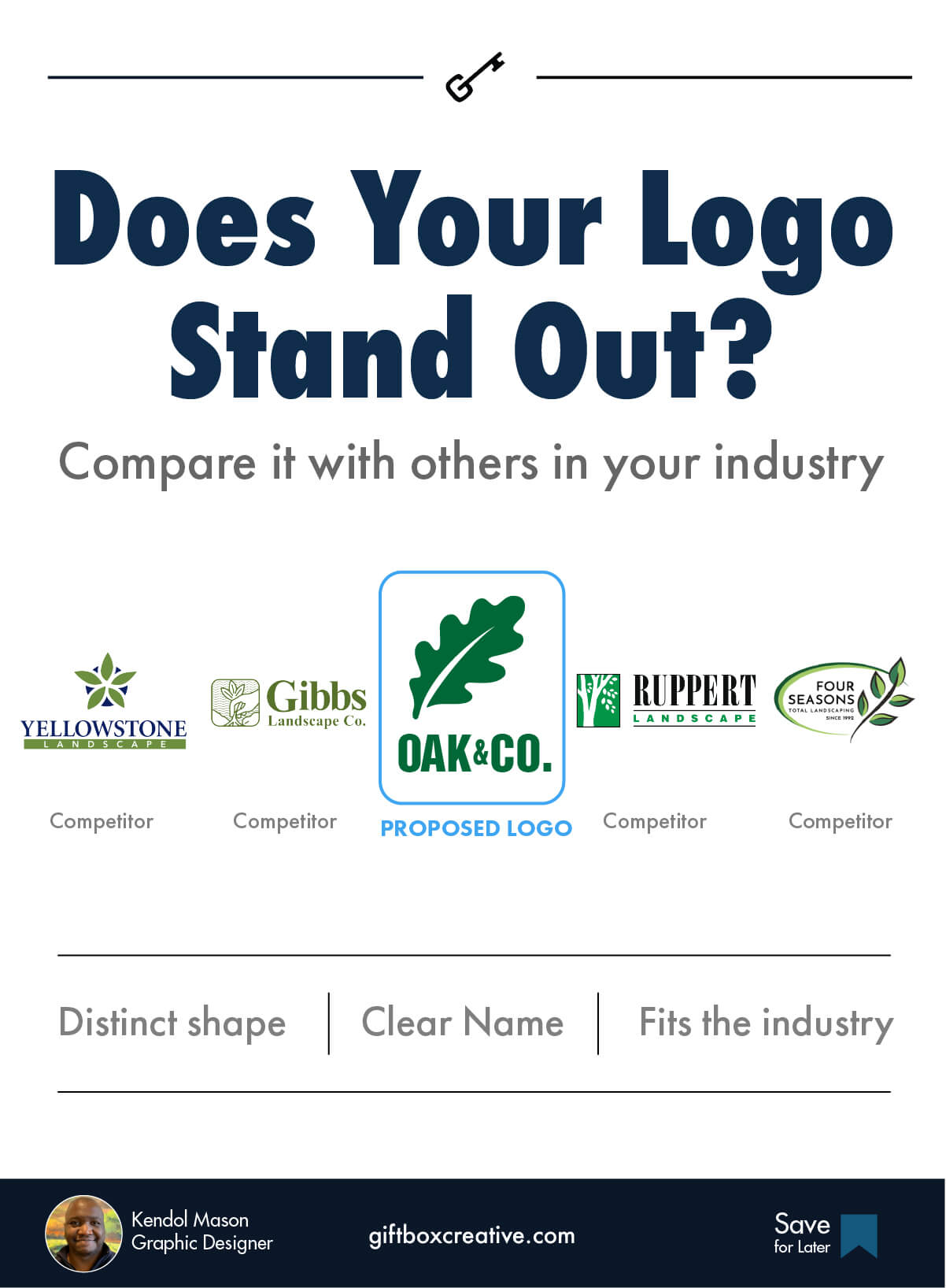
Put the new logo next to your competitors’ logos and see if it holds up. That is the test I run on every project.
It starts before I draw anything. I study your business, your products or services, your competitors, and where you sit in your industry. Then, once I have a draft, I do a side-by-side check.
Here’s how to do it yourself:
- Collect logos from your industry. Grab the big names and your closest competitors.
- Line them up in a row. Add the proposed logo to the lineup.
- Ask the three questions below. Be honest.
| Question | What a good answer looks like |
|---|---|
| Does it stand out in a way that matters? | It looks different from the rest. |
| Does it look as polished as the leaders? | It holds its own next to the established brands. |
| Does it fit what I sell? | The feel matches your products or services. |
Seeing the logos together makes the answer clear. You can tell if the identity is ready to compete or needs more work. Your own taste counts. But the logo also has to work in the market where you sell.
Logo and Branding Package: DIY vs Freelancer vs Agency
Hire a freelancer or small studio if you want a custom logo and branding package without agency prices. Use DIY tools only when money is truly tight, and an agency when you have a bigger team and budget.
| DIY / Logo maker | Freelancer or small studio | Agency | |
|---|---|---|---|
| Cost | Free to low | $1,000 to $5,000 | $50,000+ |
| Custom work | Low (templates) | High | High |
| Strategy | None | Light to medium | Deep |
| Speed | Fast | Medium | Slow |
| Who talks to you | A website | The person who designs | Account manager, then a team |
| Best for | Testing an idea | Most small businesses | Larger companies |
If you want to try DIY first, I wrote a full walkthrough on how to design a business logo. Just know the limit. A template can’t tell you what makes your business different.
How Long Does a Logo and Branding Package Take?
A logo and branding package usually takes a few weeks to a few months. Shopify’s guide gives the same wide range, and the biggest factors are how many pieces you want and how fast you give feedback.
Here’s how the work usually flows.
| Phase | What happens | Typical time |
|---|---|---|
| 1. Discovery | Questions about your business, customers, and goals | 3 to 7 days |
| 2. Concepts | The designer shows logo directions | 1 to 2 weeks |
| 3. Revisions | You pick a direction and refine it | 1 to 2 weeks |
| 4. System build | Colors, fonts, variations, guidelines | 1 to 3 weeks |
| 5. Delivery | Final files, organized and handed over | 2 to 3 days |
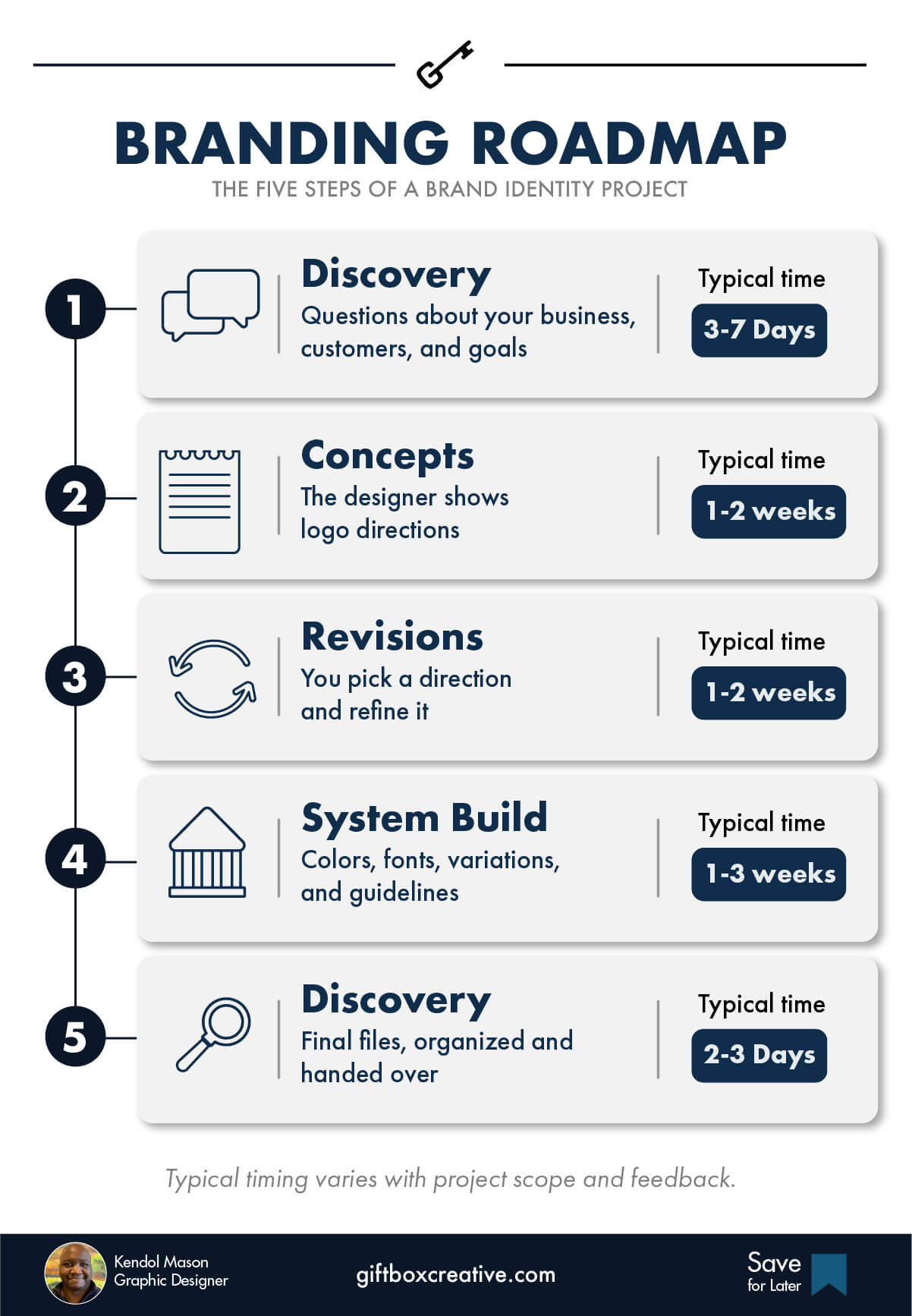
Slow feedback is the number one delay. When you answer in two days instead of two weeks, the whole project speeds up.
How Involved Should You Be in the Logo and Branding Package Process?
Expect to be most involved at the start and again at the end. In the middle, your designer does the creative work.
At the start, you and I talk through your business and set the direction. Then I take over the design choices. You come back in when it’s time for final approval.
| Stage | Your role |
|---|---|
| Start | High. Share details about your business and set the direction. |
| Middle | Low. The designer makes most of the creative choices. |
| End | Medium. Review the work and give final approval. |
That is how I run my projects. Other designers may work differently, so ask.
Why do I work this way? You have a business to run. You shouldn’t have to sit through meeting after meeting or pick every small design detail. I also need room to do the job you hired me for. When you trust me to make those calls, both of us skip the interruptions.
What Files Come With a Logo and Branding Package?
Your logo and branding package should include vector files, PNG files, and print-ready files. Vector files let you resize the logo to any size without blur.
| File type | What it’s for | Must have? |
|---|---|---|
| SVG | Websites and apps | Yes |
| AI or EPS (vector) | Printers, signs, large prints | Yes |
| PDF (vector) | Print and sharing | Yes |
| PNG with clear background | Slides, social posts, documents | Yes |
| JPG | Quick previews and emails | Nice to have |
| Favicon | The tiny icon in a browser tab | Yes, if you have a website |
| RGB and CMYK versions | RGB for screens, CMYK for print | Yes |
Also ask for each logo in color, black, and white. You’ll need all three more than you think.
Want a quick test? Ask what you’d get if you needed a billboard. If the answer is a JPG, walk away.
Here’s my file-delivery tip. Zoom in on every PNG that should have a clear background. Look at the edges. Rough spots, blemishes, or uneven lines mean the cutout was done in a hurry. Send those files back. A good designer takes the time to finish each one.
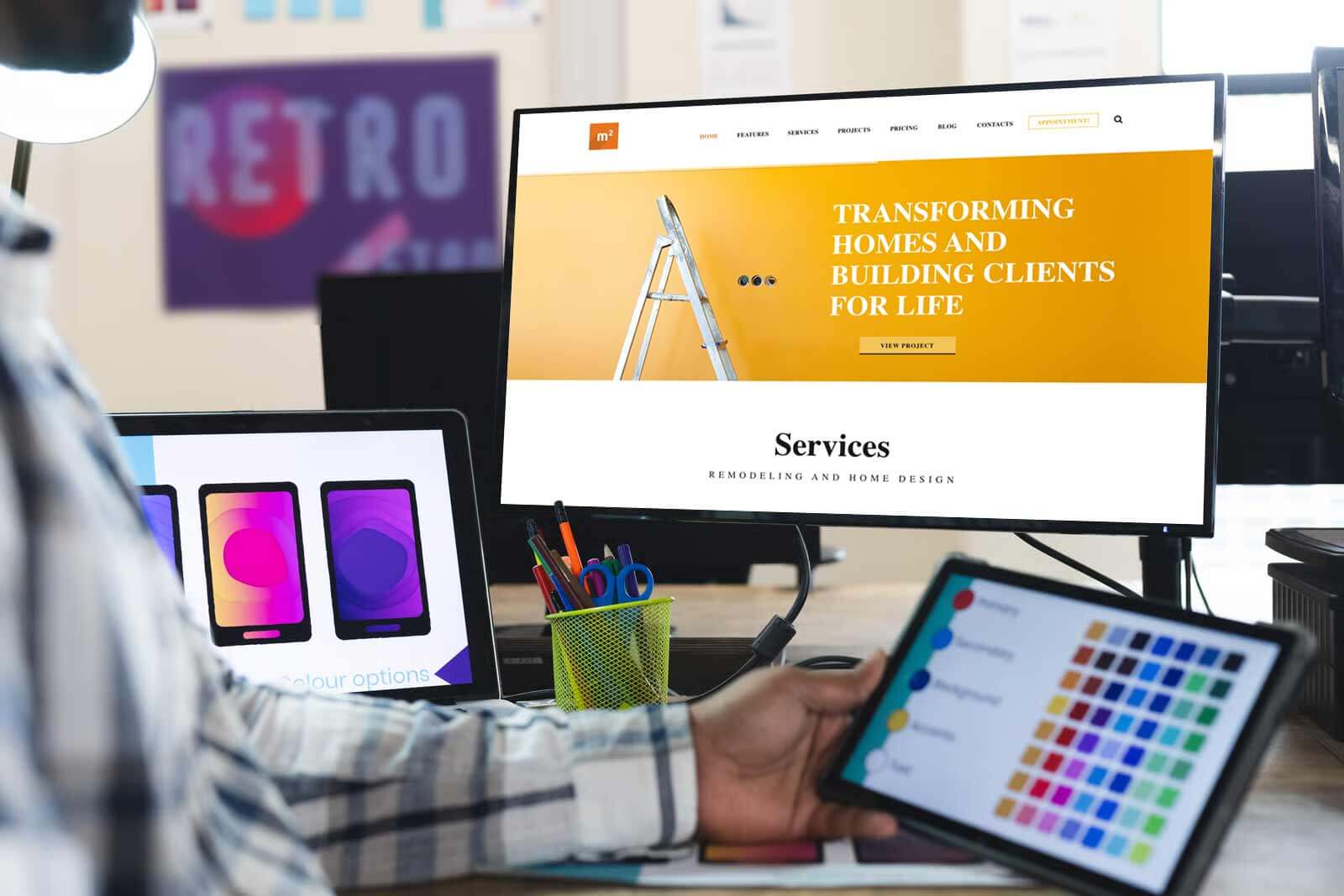
Why Your Logo and Branding Package Colors Look Different in Print
Colors on your screen won’t match print exactly. Screens and printers make color in different ways. So the same shade can look different on a shirt than on your laptop.
Two things cause most of the trouble:
- Resolution. Low-quality files print fuzzy.
- Color prep. Colors that weren’t set up for print can shift.
I’ve seen clients love a design on screen. Then the printed version showed up, and they were surprised. Proper file prep stops that. Tell your designer every place you plan to use the logo, both digital and print. Then ask for files made for each use.
Who Owns the Logo in Your Logo and Branding Package?
You should own your logo and branding package once you’ve paid in full, and the contract should say so in writing. Copyright doesn’t move to you just because you paid. In the U.S., a transfer of copyright needs a signed written agreement.
I’m a designer, not a lawyer. Check your contract with one. But here are the traps I’d look for:
- No transfer clause. The designer keeps the rights unless the contract says otherwise.
- Rights held until a later fee. Some designers charge more to hand over the final files.
- Reused artwork. If a logo uses stock art, you may not be able to protect it.
- No portfolio clause. Most designers show their work, and that’s fine. Just agree on it.
One more point. Owning the copyright doesn’t mean you have a registered trademark. Trademark rights are a separate step, and the USPTO trademark page explains how to search and register. A logo can look unique and still be too close to someone else’s mark. Ask about that up front.
Red Flags to Spot Before You Buy a Logo and Branding Package
The biggest red flags are no process, missing vector files, unclear ownership, and a price that sounds too good to be true. Each one costs you money later.
| Red flag | Why it hurts | What to ask |
|---|---|---|
| No process shown | You can’t tell how decisions get made | “What are your steps, start to finish?” |
| No vector files | The logo blurs when it gets big | “Which file types do I get?” |
| Vague “unlimited revisions” | Often means a slow, never-ending project | “How many rounds are included?” |
| Ownership not in writing | You may not control your own logo | “Where does the contract transfer rights?” |
| Portfolio shows only logos | They may not know how to build a system | “Can I see a full package you built?” |
| Logo looks like a template | Others may use something similar | “Is every concept drawn from scratch?” |
| Price far below the market | Pieces are missing or rushed | “What’s not included at this price?” |
| Logo crammed with parts | Symbol, name, and tagline fall apart at small sizes | “Does it still read as a tiny profile picture?” |
| Sloppy PNG cutouts | Rough edges show up on every piece you make | “Can I zoom in on the clear-background files?” |
| Mockups that don’t fit your business | Points to little research | “Why did you pick these items for my industry?” |
For more, read my breakdown of 10 logo design mistakes. Many of them start with picking the wrong package.
10 Questions to Ask Before You Hire a Designer for Your Logo and Branding Package
Ask every designer the same ten questions so you can compare packages fairly. Write down the answers. Side by side, the right choice gets clear fast.
- What exactly is in the package? (Ask for a written list.)
- How many logo concepts will I see?
- How many revision rounds are included?
- Which file types do I get?
- Do I get a brand guidelines document? (Ask if there is an online version.)
- Who owns the logo after final payment?
- How long does the process take?
- What does it cost to add pieces later?
- Can I see a full package you’ve built for a business like mine?
- What do you need from me to keep things moving?
What to Look for in a Designer’s Portfolio Before You Buy a Logo and Branding Package
Look for two things: pieces that match, and mockups that make sense for the business.
First, check that everything feels connected. The logo, colors, fonts, and extras should look like one family.
Second, check the mockups. Some designers fill a portfolio with cool-looking mockups just because they look cool. But those items may have nothing to do with the business they were made for. I ask myself:
- Is this item useful to the business?
- Would the customers care about it?
- Would the owner really use it?
If the answer is no, I wonder how much research the designer did. A good portfolio shows the logo on items customers really see. It should work in the real world, not just on a slide.
If you’re local, hiring a professional logo designer in Atlanta has a longer checklist. Meeting in person helps. A coffee on the BeltLine tells you more about a designer than any sales page.
Real Logo and Branding Package Examples
The best examples show the logo working inside a system: color codes, multiple logos, and real mockups. These four projects are good ones to study. They come from the Dribbble and Behance projects featured in the guides I researched.
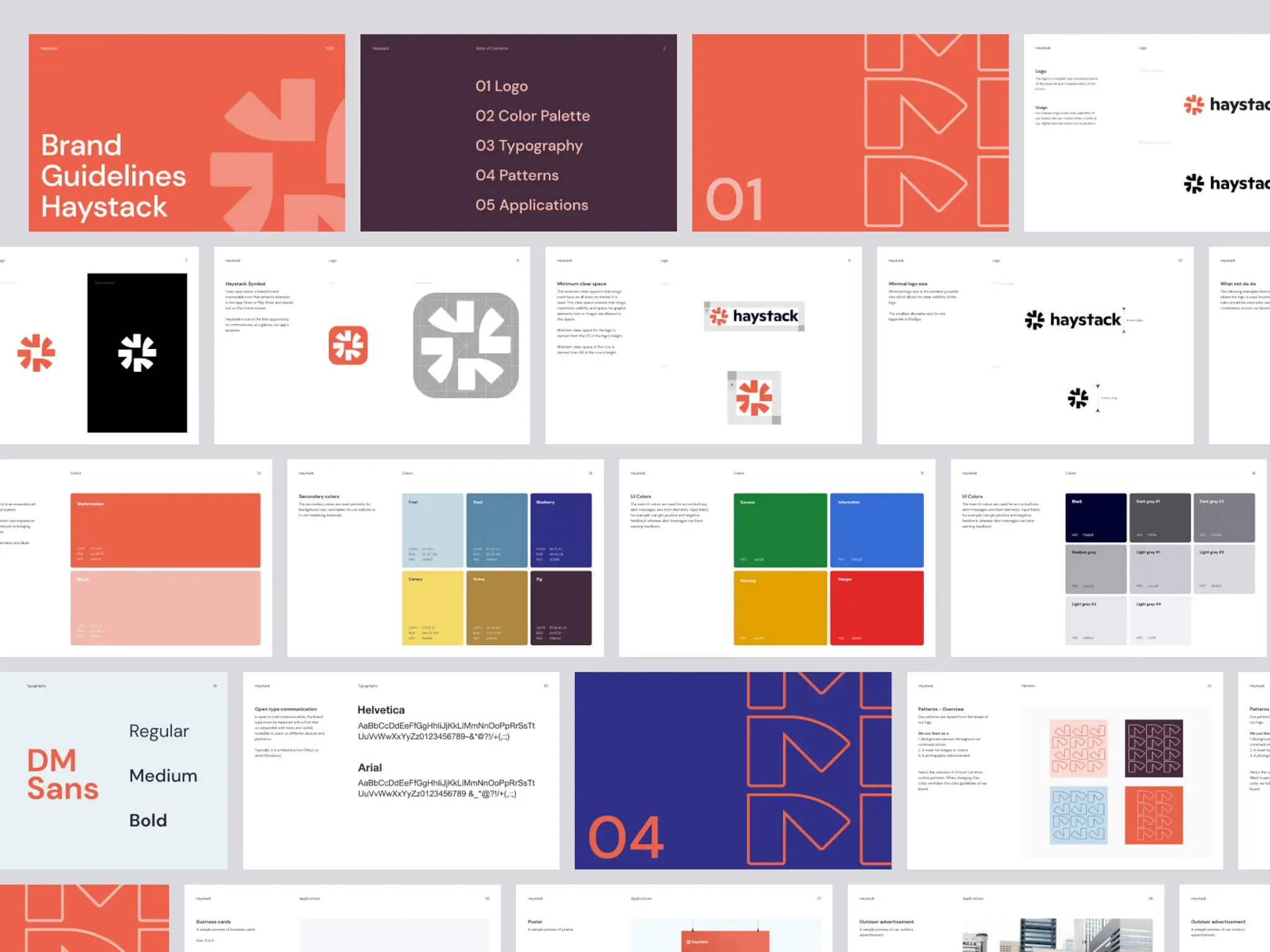
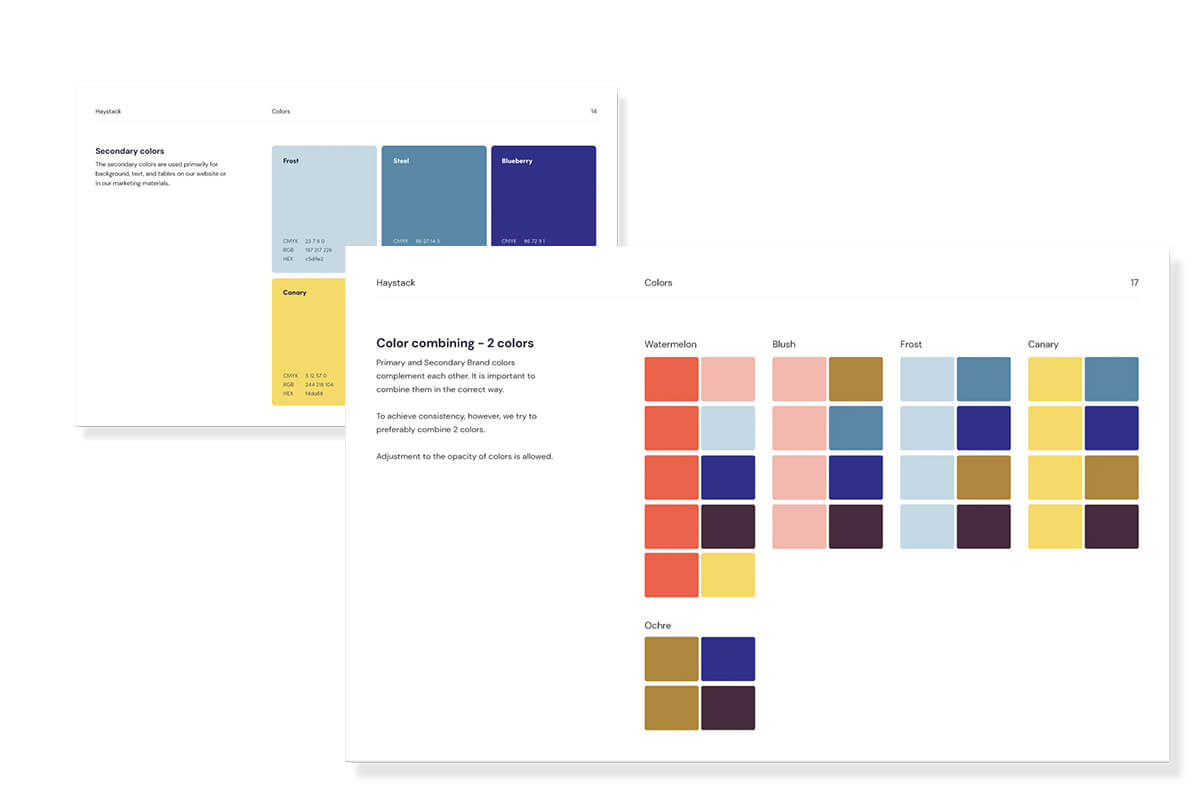
- Haystack, by Balkan Brothers. Look at the color palette. It shows secondary colors, how to combine them, and the HEX, RGB, and CMYK values for each one.
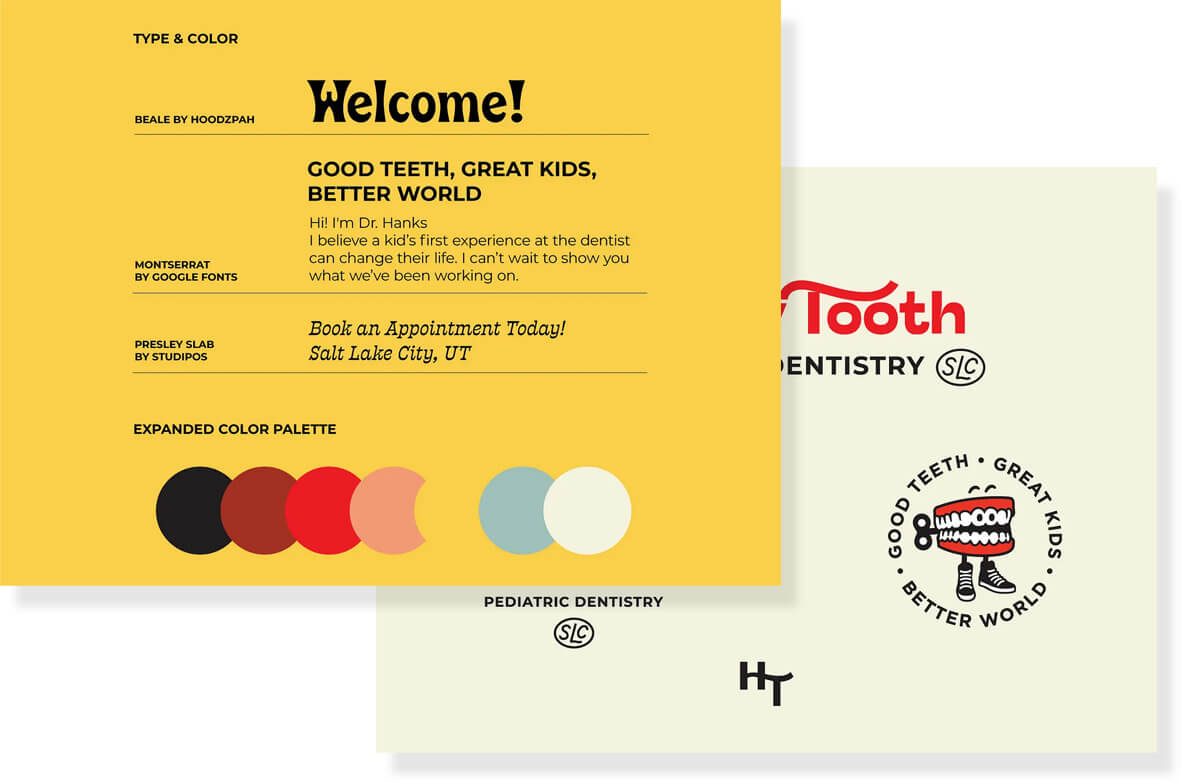
- Happy Tooth, by Hoodzpah. A children’s dental brand with an expanded color palette, four signature fonts, and a full logo system.
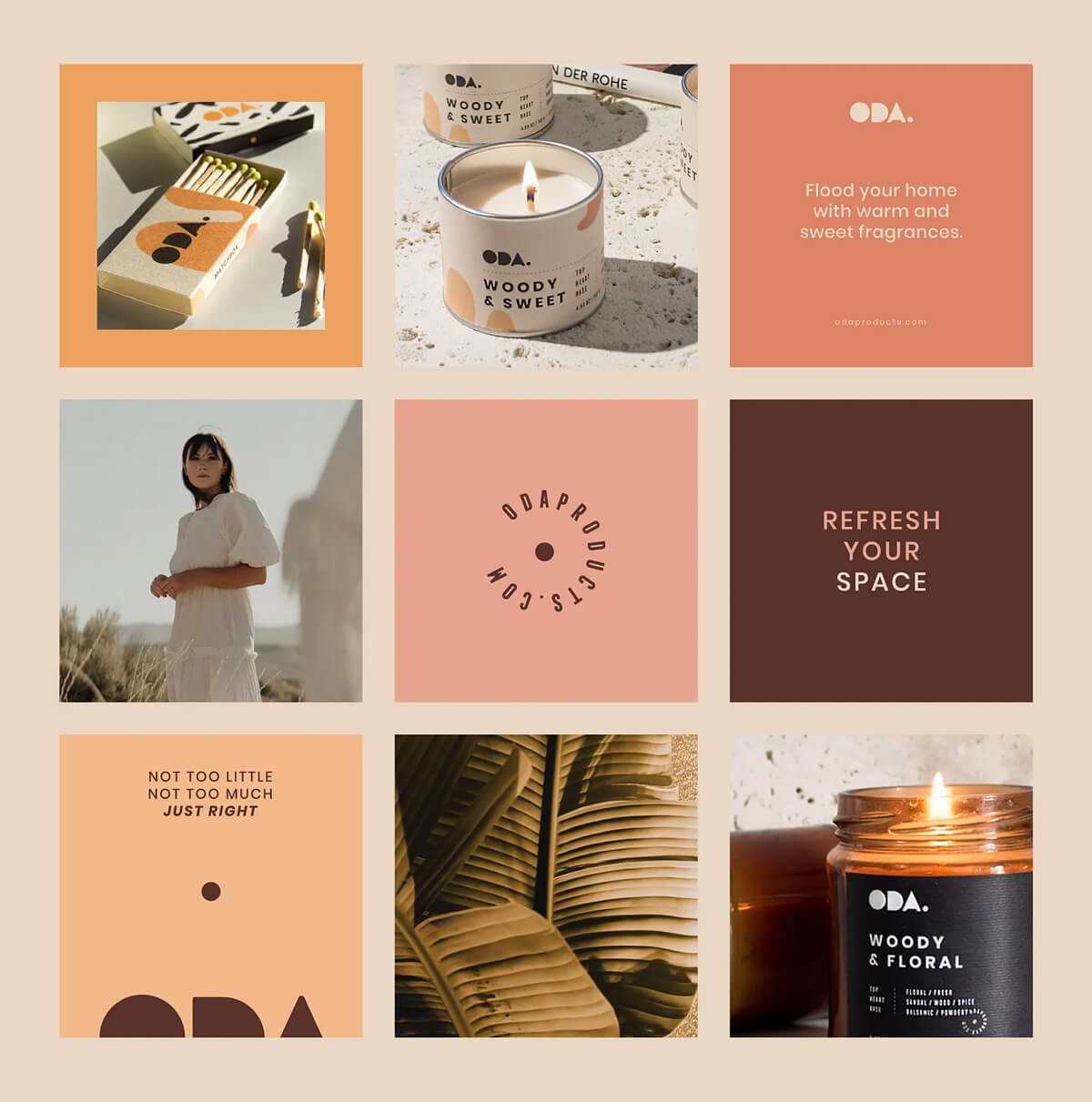
- Oda Candles, by Mustafa Akulker. A detailed palette that carries into each candle label.
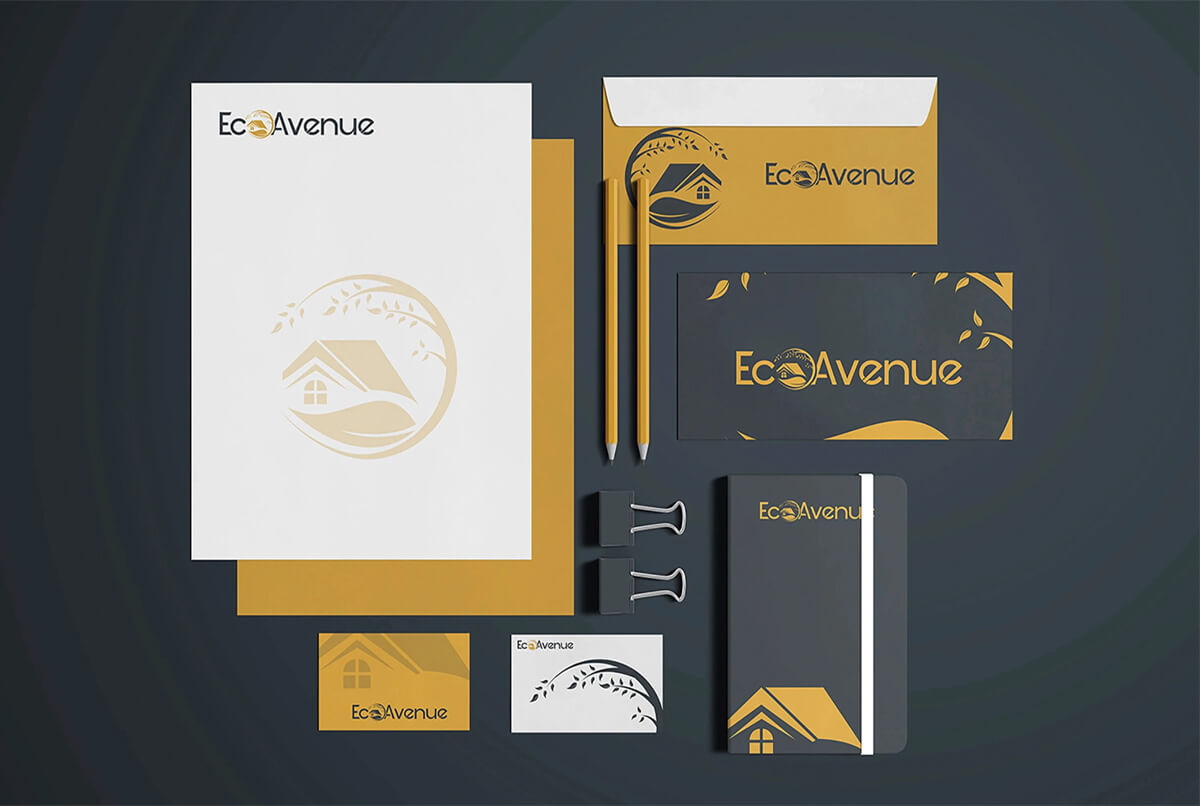
- EcoAvenue (concept project). A two-tone brand kit with stationery, product mockups, and even a store sign.
Notice the pattern. Each one shows the same few colors, fonts, and shapes again and again. That repeat is what makes a brand stick in memory.
What Makes a Logo and Branding Package Worth the Investment?
A logo and branding package pays off when you use it over and over, in front of as many customers as you can. A good-looking design that sits in a folder earns nothing.
The brands that last are the ones their owners stand behind. They use the logo all the time. They put it in front of customers every chance they get.
Why does this matter? People need to see your logo again and again before they remember it. That repeat view builds recognition. Over time it builds brand equity, which is the value your name earns.
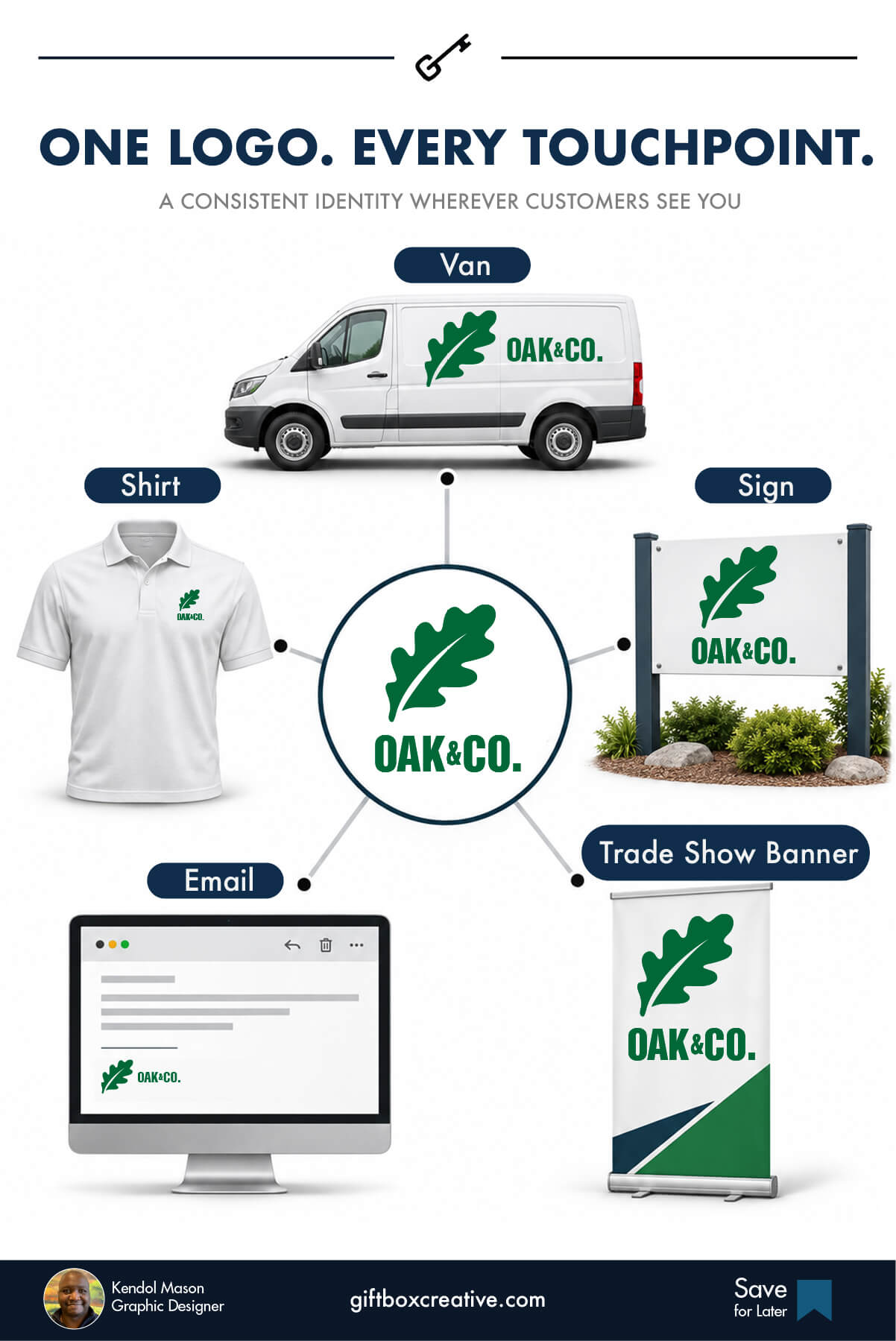
Here is where I’d put your logo and branding package to work:
A logo and branding package pays off when you use it over and over, in front of as many customers as you can. A good-looking design that sits in a folder earns nothing.
The brands that last are the ones their owners stand behind. They use the logo all the time. They put it in front of customers every chance they get.
Why does this matter? People need to see your logo again and again before they remember it. That repeat view builds recognition. Over time it builds brand equity, which is the value your name earns.
| Where | Examples |
|---|---|
| Digital messages | Emails, text messages, newsletters |
| Website and video | Your website, social media channels, video intros and outros |
| Direct mail, stamps | |
| Vehicles | Vehicle wraps, bumper stickers |
| Clothing | T-shirts, polos, hats, jackets, aprons |
| Signs and events | Signage, flags, trade show booths, retractable banners |
| Small items | Pens and other promotional materials |
You can spend a lot on a nice-looking identity. But if customers rarely see it, you limit what you get back. For me, the real long-term value comes from repeat exposure. Get the brand in front of people until they know it.
All the time. Every day. Everywhere your business can be seen.
What to Do in the First 30 Days After You Get Your Logo and Branding Package
Use your new logo and branding package everywhere within 30 days, or the old look will keep creeping back. Here’s the simple order I’d follow:
- Back up every file. Put them in a shared folder, plus a second copy somewhere else.
- Update your website header and favicon. This is where most people look first.
- Swap your social profile images and covers. Use the icon version for small spaces.
- Fix your email signature. It goes out to every customer, every day.
- Replace old documents. Quotes, invoices, and slide decks should match.
- Order gear that carries the logo. Think aprons, hats, jackets, T-shirts, polos, pens, and vehicle wraps.
- Add it to your video content. Use branded intros and outros.
- Share the guidelines. Send them to anyone who makes anything for you.
- Retire the old logo. Delete or archive the old files so no one grabs them by mistake.
Start using your logo and branding package right away. Don’t let the files sit in a folder. Put them into use at scale. The more you use them, the more comfortable you get. Soon the brand is just part of how your business runs. It stops feeling new.
This is where a lot of businesses have the “my business looks inconsistent on social media” problem. The package was fine. The rollout never happened. Block out an afternoon and finish it.
FAQ About the Logo and Branding Package
What is business branding?
Business branding is the process of shaping how people see and feel about your company. It includes your name, logo, colors, voice, and customer experience. Strong business branding shows up the same way everywhere a customer meets you.
Why is branding important?
Business branding builds trust, helps people remember you, and supports higher prices. In one 2021 survey reported by Canva, 52% of people said they would pay more for brands that share their values. It also gives your team clear rules, which saves time.
How much does business branding cost?
Branding costs from under $500 for DIY to $25,000 or more for a large agency. Most small businesses spend between $1,500 and $10,000 for a full identity with guidelines. The price depends on strategy work, the number of files, how many design rounds you get, and what needs to be managed for strategic application.
What is the difference between branding and marketing?
Business branding decides who you are, how you look, and how you sound. Marketing is how you promote that brand through ads, email, and social posts. Branding comes first, so your marketing has something clear to say.
How long does branding take?
A DIY refresh can take one to two weeks. A full identity with a freelancer or studio often takes three to ten weeks. Large agency projects can run three to six months. Clear feedback and fast decisions shorten any timeline.
How often should a business update its branding?
Review your business branding once a year. Refresh it when your offer, audience, or look no longer matches your business. Small updates, like new photos or colors, are often enough. Full rebrands are rare.
Can a small business do its own branding?
Yes. A small business can handle the basics with templates and a clear plan. Many owners hire a designer later, once they’re ready to charge more or grow into new places. A one-page guide keeps DIY work consistent.
What is the difference between branding and personal branding?
Business branding shapes how people see a company. Personal branding shapes how people see one individual, such as a founder or consultant. Solo owners often blend the two, so their name, face, and company brand need to match.